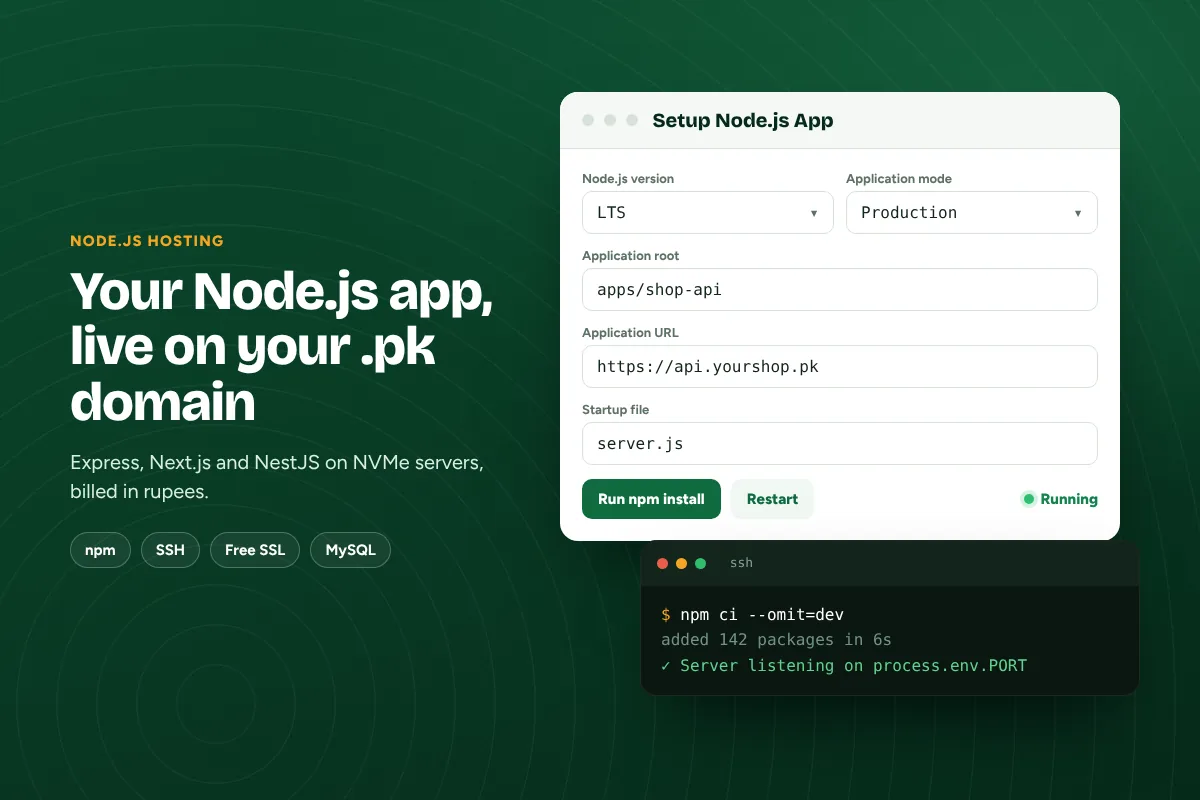
Host Express APIs, Next.js websites, NestJS backends and Node.js bots on fast NVMe servers. Start small on shared hosting with one-click Node.js app setup, move to a VPS with full root access when you grow, and pay in rupees with support in Urdu and English.
Node.js hosting built for Pakistani developers and businesses
JavaScript is the most common language among software houses and freelancers in Pakistan, and more of that JavaScript now runs on the server. Agencies in Islamabad build Express APIs for mobile apps, startups in Lahore launch Next.js storefronts, Karachi teams run NestJS backends for logistics dashboards, and freelancers deliver Node.js projects to clients on Upwork and Fiverr every day. All of those projects need somewhere reliable to run.
Most budget hosting in Pakistan is built only for PHP websites. You can upload files, but you cannot start a Node.js process, so developers end up paying in dollars for a foreign cloud platform, struggling with card payments, exchange rates and support in a different time zone. WebHostPakistan gives you Node.js hosting with Pakistani billing and local support: you can run Node.js apps on our shared hosting plans from the control panel, or on a VPS in Pakistan rupees with full root access.
Every plan runs on NVMe SSD storage with free SSL, DDoS protection and offsite backups. You can host the Node.js app, its MySQL database, your business email and your .pk domain with one company, and pay with bank transfer, JazzCash or Easypaisa, with no dollar card needed.
Node.js hosting on shared plans
Good for small Express APIs, Next.js sites, webhooks, bots and client projects. Node.js apps need more space and memory than a plain HTML or PHP site (node_modules alone can be hundreds of MB), so Node.js hosting starts from our Standard plan.
Shared Node.js hosting or a Node.js VPS: which do you need?
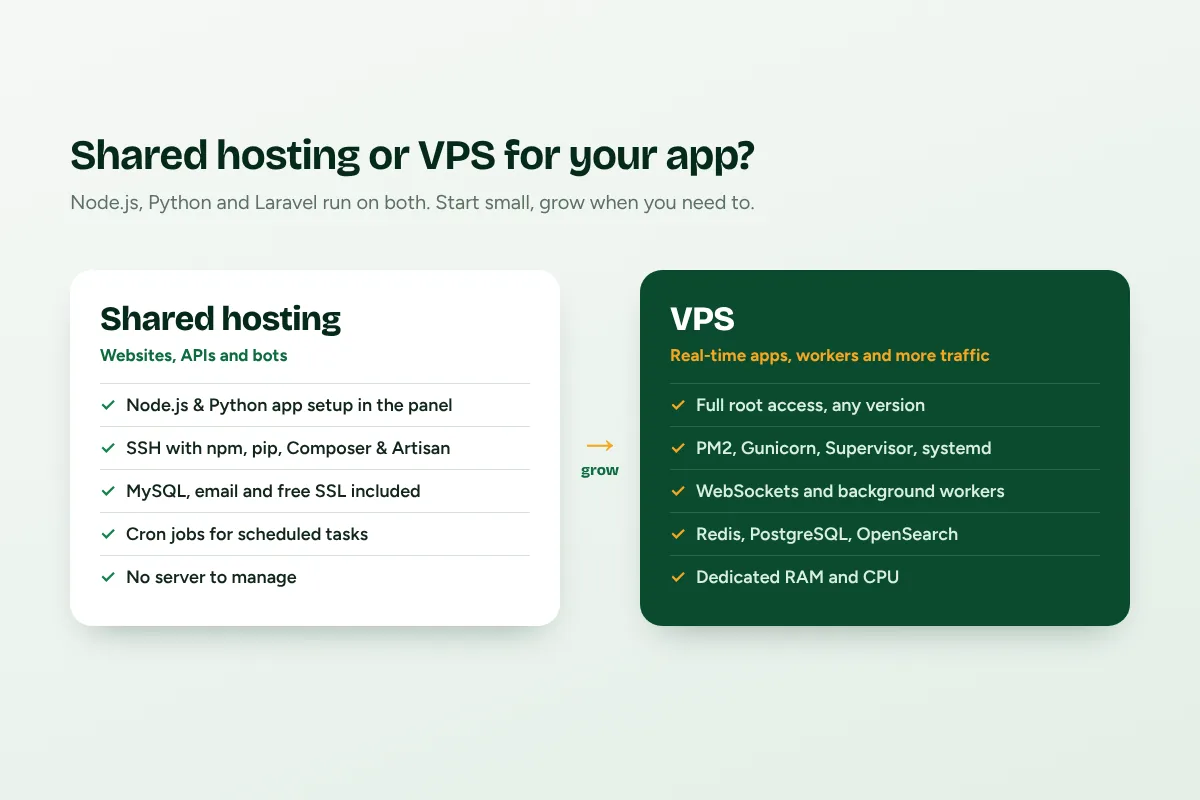
Both options run real Node.js, not a simulation. The difference is how much control you have and how much traffic your app can handle.
Choose shared Node.js hosting when
Your app is a website or API with modest traffic: a company website built with Next.js, an Express API for a small mobile app, a WhatsApp or Telegram bot, a webhook receiver for JazzCash or Easypaisa payment notifications, a portfolio, or a client project you are handing over. You set the app up from Setup Node.js App in the control panel, choose the Node.js version, point it at your startup file, and run npm install with a click or over SSH. You get a MySQL database, email and SSL in the same account, and you do not have to manage a server.
Choose a Node.js VPS when
Your app needs to stay connected to users or keep working in the background: chat and live notifications with Socket.IO, multiplayer features, queues and workers, scheduled jobs that run every minute, a headless CMS such as Strapi, or several apps running side by side. A VPS gives you root access, so you can install any Node.js version with nvm, keep apps alive with PM2, put Nginx in front as a reverse proxy, run Redis for caching and queues, and open the ports you need. It is also the right choice when you want predictable performance that is not shared with other accounts.
Many clients start on shared hosting while they build and test, then move to a VPS when the app has paying users. We help with that move, so you do not have to rebuild anything.
What you get with Node.js hosting
Everything a Node.js project needs to go from your laptop to a live domain.
🟢
Node.js app manager
Create apps from the control panel, pick a Node.js version, set the startup file and restart with one click.
📦
npm and SSH access
Install dependencies from package.json, run build scripts and check logs over SSH, just like on your own machine.
🔑
Environment variables
Keep API keys, database passwords and secrets out of your code by setting them as environment variables.
🗄️
MySQL databases
Create MySQL databases and users in seconds and connect with Prisma, Sequelize, Knex or the mysql2 driver.
🔒
Free SSL on every domain
HTTPS for your app and API out of the box, renewed automatically, so browsers and mobile apps trust your endpoints.
💾
NVMe storage and backups
Fast NVMe SSD disks for quick npm installs and file access, plus offsite backups so a bad deploy is never the end.
How to deploy a Node.js app on our shared hosting
If you have deployed to a cloud platform before, this will feel familiar. Here is the usual path for an Express or Next.js app; our support team can do it with you over WhatsApp the first time.
1. Prepare your app. Make sure your app listens on the port it is given through the PORT environment variable rather than a fixed number, and that package.json lists every dependency. For Next.js, run next build and start it with next start or a small custom server file.
2. Upload the code. Clone your repository over SSH with git clone, or upload a zip through the File Manager. Keep the app in its own folder outside public_html so your source code is never downloadable.
3. Create the Node.js app. In the control panel open Setup Node.js App, choose a Node.js version, set the application root and URL, enter the startup file (for example app.js or server.js), and save.
4. Install dependencies and add settings. Click Run npm install or run it over SSH inside the app's environment. Add your environment variables, such as DATABASE_URL, JWT_SECRET and payment gateway keys, in the same screen.
5. Start and test. Restart the app, open your domain and check the logs if anything fails. SSL is already active, so your API is ready for mobile apps and payment callbacks on HTTPS.
On a VPS the steps are the classic ones: install Node.js with nvm, run the app with PM2 so it restarts after a crash or reboot, and put Nginx in front with a free Let's Encrypt certificate. If you prefer, we set this up for you.
Popular Node.js projects we host
A few of the things Pakistani developers and companies run on our servers.
REST and GraphQL APIs for mobile apps
Express, Fastify and NestJS backends that power Flutter and React Native apps, with JWT login, push notifications and payment callbacks.
Next.js and Nuxt websites
Server-rendered company websites, landing pages and storefronts that load fast and rank well on Google in Pakistan.
WhatsApp, Telegram and Discord bots
Order bots for restaurants and shops, customer support bots and community bots that answer around the clock.
Payment and webhook receivers
Small services that receive JazzCash, Easypaisa, bank and courier notifications and update your database or ERP.
Dashboards and internal tools
Admin panels, reporting dashboards and inventory tools for businesses in Islamabad, Lahore, Karachi and beyond.
Real-time apps on VPS
Live chat, delivery tracking and notification services with Socket.IO, Redis and background workers managed by PM2.
Why host your Node.js app in Pakistan rupees?
Foreign platforms are excellent, but they are priced and supported for another market. For many Pakistani developers the real problems are practical: an international card that stops working, a bill that changes every month with the dollar rate, free tiers that put your app to sleep after a few minutes, and a support ticket answered at 3 a.m. Pakistan time.
With WebHostPakistan you get a fixed monthly price in PKR, an invoice you can show your client or company accountant, and payment through local bank transfer, JazzCash or Easypaisa. If something goes wrong you can message a person on WhatsApp in Urdu or English during the working day, and our 24/7 support handles server issues around the clock.
It also makes life simpler for software houses and freelancers. You can host several client apps under one reseller or VPS account, register each client's .pk or .com.pk domain with us, and hand over a clean setup when the project ends. If you build the app but want help with design or the website around it, our web development team and mobile app developers work from the same office.
Tips for running Node.js smoothly in production
A few habits save hours of debugging, whether you are on shared hosting or a VPS.
Use the PORT variable. Hard-coding 3000 works on your laptop but not behind a web server. Read process.env.PORT and fall back to a default.
Set NODE_ENV to production. Express, Next.js and many libraries run faster and log less when they know they are in production.
Keep secrets in environment variables. Never commit .env files with database passwords or payment keys to Git.
Install only production dependencies. Use npm ci --omit=dev on the server to keep installs fast and the app small.
Log errors somewhere you can read them. Write errors to a log file and check it after each deploy, instead of guessing why a page shows a 503.
Cache what you can. Static files, images and build output should be served directly, not through your Node.js process. On a VPS, let Nginx handle them.
Back up the database, not just the code. Your code is in Git; your customers' data is not. Our offsite backups cover both, and you can take extra dumps before big changes.
Yes. Our shared plans include Node.js application support in the control panel. You choose a Node.js version, set your startup file and run npm install, and the web server starts your app when requests arrive. It suits websites, APIs and bots with moderate traffic. Apps that need permanent WebSocket connections or background workers should run on a VPS.
Which Node.js versions are available?
On shared hosting you can choose from the Node.js versions offered in the Setup Node.js App screen, which include current long-term support releases. On a VPS you can install any version you like with nvm, including several versions side by side.
Can I host a Next.js website?
Yes. A statically exported Next.js site runs on any plan like a normal website. A server-rendered Next.js app runs as a Node.js app on shared hosting or a VPS. For large Next.js stores with heavy traffic we recommend a VPS.
Do you support MongoDB?
Shared plans include MySQL databases. If your app uses MongoDB, you can connect to a hosted MongoDB service such as MongoDB Atlas, or install MongoDB yourself on a VPS with enough RAM.
Can I use Socket.IO or WebSockets?
For real-time features that keep connections open, such as chat, live tracking and notifications, use a VPS. You get full control over the process, ports and proxy settings, and your app is not paused between requests.
Do I get SSH and Git access?
Yes. Shared plans include SSH access so you can use git, npm and the command line, and VPS plans give you full root access.
Will you migrate my Node.js app from another host?
Yes. Send us your repository or current host details and we will help you move the app, database and domain, and check it works before you switch DNS.
Can I run more than one Node.js app on one plan?
Yes. Each Node.js app gets its own folder and its own domain or subdomain, up to the number of websites your plan allows. Keep an eye on memory if the apps are busy; several active apps are usually happier on a VPS.
What happens if my app crashes?
On shared hosting the app is started again on the next request, and you can restart it from the control panel and read its log to find the cause. On a VPS, PM2 restarts the app automatically and can also start it after a server reboot.
How do I pay for Node.js hosting in Pakistan?
You pay in Pakistani rupees by bank transfer, JazzCash or Easypaisa. There is no dollar billing and no international card required.
Ready to put your Node.js app online?
Tell us what you are building and how many users you expect. We will recommend shared hosting or the right VPS, and help you deploy it.